
What to Expect During Security System Installation
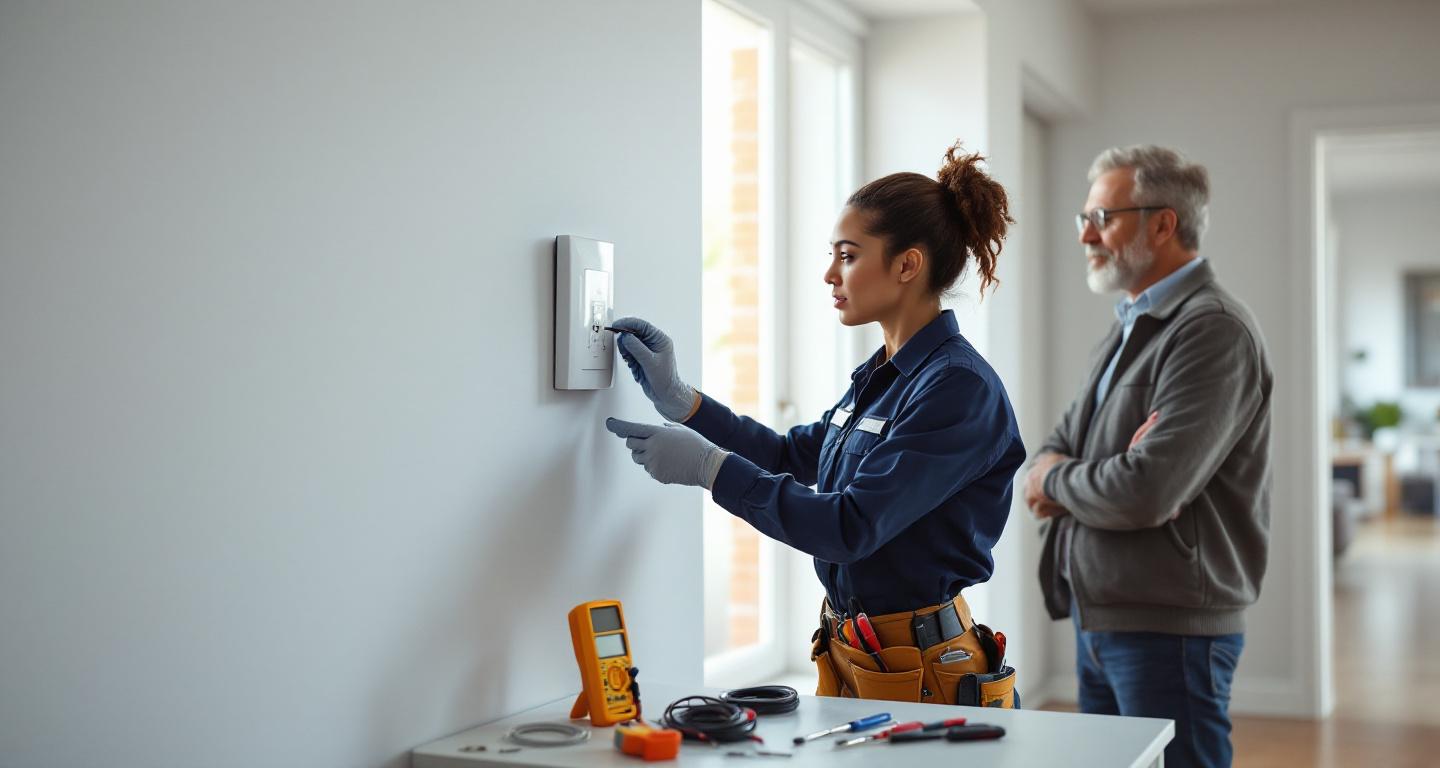
Security system installation typically involves an initial consultation, equipment placement planning, professional installation of sensors and panels, system programming, comprehensive testing, and user training. The entire process usually takes 4-8 hours depending on system complexity and home size.
How Does the Initial Consultation Work?
The installation process begins with a thorough consultation where the technician assesses your home's unique security needs. During this phase, they'll walk through your property identifying vulnerable entry points, discussing your lifestyle patterns, and understanding your specific concerns. The installer will examine doors, windows, potential blind spots, and areas where motion sensors would be most effective. They'll also evaluate your home's layout to determine optimal placement for the main control panel, ensuring it's accessible yet discreet. This consultation typically takes 30-60 minutes and forms the foundation for your customized security solution. The technician should explain different equipment options and help you understand how each component contributes to your overall security strategy.
What Are the Main Installation Steps?
Professional security system installation follows a systematic approach to ensure comprehensive protection:
- Equipment verification and inventory check of all components against your order
- Strategic placement of door and window sensors on primary entry points
- Installation of motion detectors in key areas like hallways and main living spaces
- Mounting and programming the main control panel in an accessible location
- Setting up cameras (if included) with proper angles and lighting considerations
- Connecting the system to your home's Wi-Fi network and mobile app setup
- Comprehensive system testing to verify all components communicate properly
- User training on arming, disarming, and troubleshooting your new system
How Long Does Installation Take?
Installation timeframes vary significantly based on system complexity and home size. A basic system with door sensors, window sensors, and a control panel typically takes 2-4 hours for a standard home. More comprehensive systems including multiple cameras, smart home integration, and extensive sensor networks can require 6-8 hours or even a full day. Factors that extend installation time include older homes with challenging wiring situations, custom mounting requirements, or integration with existing smart home systems. Professional installers should provide realistic time estimates during your consultation. The investment in time ensures proper installation—rushing this process can lead to gaps in coverage or system malfunctions that compromise your security.
What Should You Prepare Before Installation Day?
Proper preparation ensures smooth installation and optimal system performance. Clear pathways throughout your home so technicians can easily access installation areas without navigating around furniture or obstacles. Ensure your Wi-Fi network is functioning properly and have your network password readily available—most modern systems require internet connectivity for remote monitoring and smartphone app functionality. If you have pets, arrange for them to be secured in a separate area, as installation involves multiple trips in and out of your home. Compile a list of questions about system operation, monitoring services, and maintenance requirements. Consider your family's daily routines and discuss any specific needs with the installer, such as pet-immune sensors or silent entry options for different family members.
What Equipment Will Be Installed?
Modern security systems typically include these core components:
- Control panel: The system's brain that manages all components and communicates with monitoring services
- Door and window sensors: Magnetic contacts that detect when entry points are opened
- Motion detectors: Infrared sensors that identify movement in designated areas
- Glass break sensors: Acoustic detectors that recognize the sound of breaking glass
- Security cameras: Indoor and outdoor cameras for visual monitoring and recording
- Keypads: Additional access points for arming and disarming the system
- Environmental sensors: Smoke, carbon monoxide, and water leak detectors
- Smart home integration devices: Hubs that connect your security system to other home automation
How Is System Testing Performed?
Comprehensive testing represents the most critical phase of installation, ensuring every component functions correctly within the integrated system. The technician will systematically test each sensor by triggering it while monitoring the control panel's response. This includes opening doors and windows with sensors, walking through motion detector zones, and verifying camera feeds and recording capabilities. The installer will also test communication pathways, confirming the system successfully connects to monitoring services and sends alerts to your smartphone app. Emergency features like panic buttons and environmental sensors receive special attention during testing. You'll observe this entire process, learning how each component responds and understanding what different alerts mean. Any issues discovered during testing are immediately addressed before the installer considers the job complete.
What Training Will You Receive?
Professional installation includes comprehensive user training to ensure you can confidently operate your new security system. The installer will demonstrate proper arming and disarming procedures, explaining different modes like 'Home' and 'Away' settings. You'll learn to navigate the control panel menu system, adjust sensor sensitivity if needed, and understand how to temporarily bypass specific zones. Mobile app functionality receives detailed explanation, covering remote monitoring, alert notifications, and camera access. The technician should provide clear instructions for common scenarios like system malfunctions, false alarms, and power outages. Most installers leave printed materials or access information for online resources. Take notes during training and don't hesitate to ask for repeated demonstrations—your comfort with the system directly impacts its effectiveness in protecting your home.
Installation Day Checklist
- Clear pathways throughout your home for easy technician access
- Secure pets in a separate area away from installation zones
- Have your Wi-Fi network password and router information available
- Prepare a list of questions about system operation and features
- Ensure someone will be present for the entire installation process
- Review your home layout and discuss any specific security concerns
- Plan for the estimated installation time without scheduling other activities
- Have contact information ready for any existing home automation systems
What Happens After Installation Is Complete?
Post-installation services ensure your security system continues operating effectively long after the technician leaves. You'll receive documentation including system specifications, warranty information, and emergency contact numbers. Most companies provide a brief grace period where you can request adjustments to sensor placement or sensitivity settings as you live with the system. The installer should schedule a follow-up contact within the first week to address any questions that arise during normal use. Your monitoring service activation typically begins immediately or within 24 hours, depending on your provider. Many companies offer ongoing technical support through phone, online chat, or even remote system diagnostics. Understanding these post-installation resources helps you maximize your security investment and maintain optimal system performance over time.
Frequently Asked Questions
How much disruption should I expect during installation?
Installation typically involves minimal disruption. Professional installers work efficiently and clean up after themselves. You'll need to be available to answer questions and approve equipment placement, but most daily activities can continue normally.
Will the installer need to drill holes or damage my walls?
Most sensors use adhesive mounting or require only small screw holes. Professional installers minimize wall damage and discuss mounting options beforehand. Any necessary drilling is precisely done with proper tools to maintain your home's appearance.
Can I install additional components later?
Yes, most systems are expandable. You can add sensors, cameras, or smart home devices after initial installation. Professional systems are designed for easy expansion as your security needs evolve or change.
What if I'm not satisfied with sensor placement after installation?
Reputable companies offer adjustment periods where you can request sensor relocation or sensitivity changes. Most issues can be resolved within the first week as you experience how the system works in your daily routine.
Do I need to be present during the entire installation?
Yes, your presence is essential for approving equipment placement, providing Wi-Fi access, learning system operation, and ensuring the installation meets your specific needs. Plan to be available for the full installation timeframe.
Find Trusted Security Installers
Finding reliable security installers through your personal network ensures accountability and real experiences from people you trust. Tools like Linked By Six automatically surface which local security companies your friends and colleagues have used and recommend—see your connections before you search and make informed decisions based on trusted relationships.
Professional security system installation is a comprehensive process that transforms your house into a protected home. From initial consultation through final testing and training, experienced installers ensure every component works harmoniously to provide reliable security coverage. The time invested in proper installation pays dividends through years of dependable protection and peace of mind. Understanding what to expect helps you prepare effectively and collaborate with your installer to create a security solution perfectly tailored to your home and lifestyle. Remember that installation is just the beginning—your relationship with a trusted security provider extends far beyond the initial setup day.